Create Custom Themes faster with Queue-it’s new AI Generator


Queue-it’s new AI Custom Theme Generator lets you create an on-brand Custom Theme in seconds, reducing iteration cycles and empowering non-technical users to participate in theme generation.
Your waiting room is a valuable moment of customer attention, one where branding and experience matter. Custom Themes help you turn that moment into a polished touchpoint.
Until now, creating a Custom Theme often required close collaboration across teams. Marketing supplied ideas or brand direction, developers at your organization or Queue-it coded mockups, and design iterations traveled back and forth before arriving at the final version. It worked, but it took time.
Today, we’re excited to introduce Queue-it’s AI Custom Theme Generator, a new way for your teams to ideate, prototype, and produce Custom Themes faster, reducing iteration cycles and empowering non-technical users to participate in theme generation.
With the AI Custom Theme Generator, you can create an on-brand Custom Theme in seconds, using just a logo, inspiration image, and short instructional prompt. There’s no code, no waiting, and no barriers to experimentation.
The AI Generator gives teams a faster, more flexible path from idea to production-ready themes, letting them:
- Explore creative directions faster: The AI Generator lets teams create multiple theme variations, helping them compare visual styles and layouts quickly. This makes it easier to narrow in on the right direction before developers invest time refining or implementing a final design.
- Open participation to more teams: The no-code functionality of the AI Generator allows marketing, design, and CX teams to explore and shape theme ideas directly. They can respond to campaign needs, seasonal branding shifts, or design inspiration without relying on a developer to get started. This broadens ownership of the waiting room experience and supports faster collaboration.
- Give developers a head start: Instead of crafting mockups from scratch, developers now receive AI-generated starting points and clearer creative direction. That means less work, fewer iteration cycles, and a smoother path to polished output.
- Publish simple themes instantly when time is tight: For straightforward needs or urgent timelines, non-technical users can publish simple AI-generated themes directly. This gives your organization the agility to update the waiting room quickly during high-demand events or campaign launches.
The video below shows the full process for generating a Custom Theme with AI. Under that, the step-by-step process is explained with screenshots.
You can find the AI Generator inside the Custom Theme menu under “Generate with AI.”
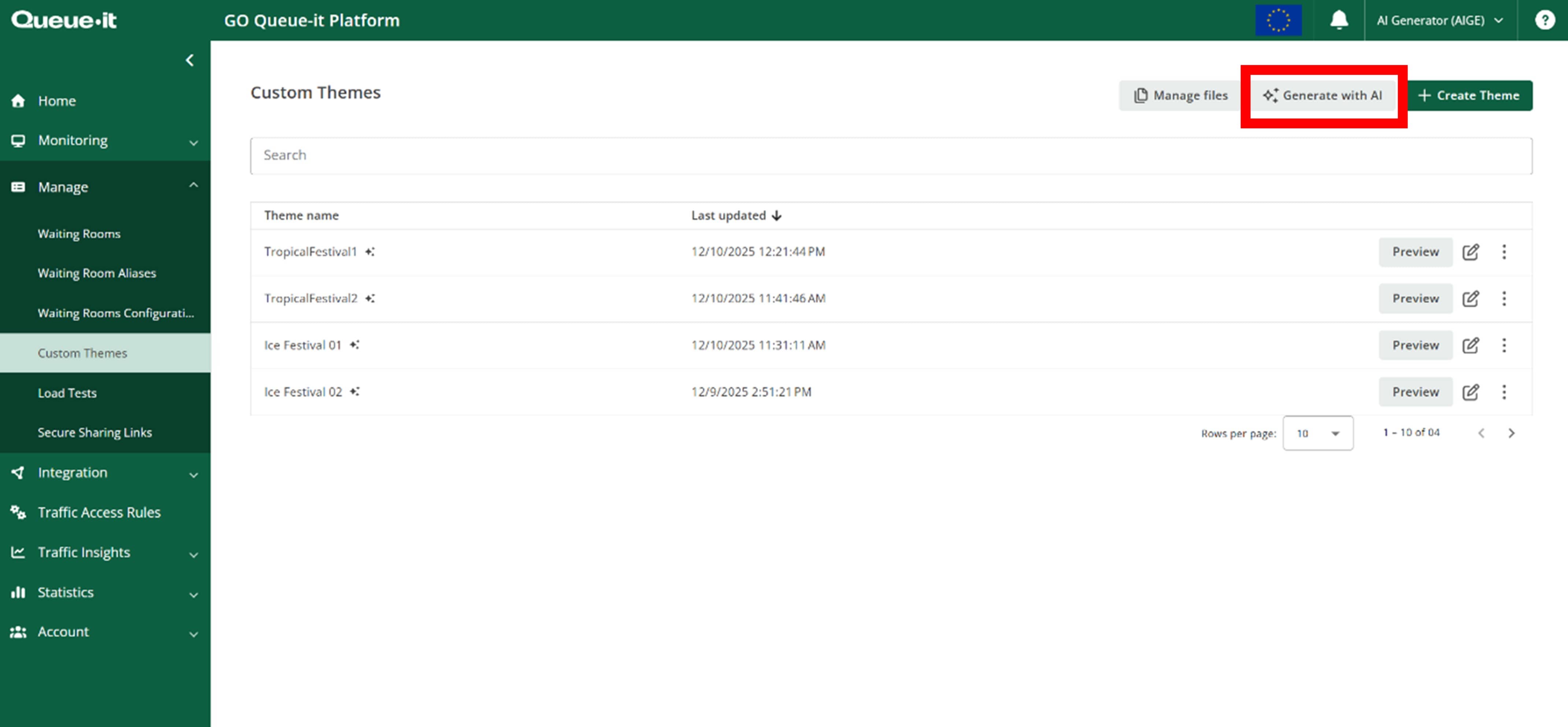
There, you’ll be prompted to:
- Upload a logo
- Upload an inspiration image
- Provide an instruction prompt
- Optionally upload or request a background image

The AI Generator produces a draft theme in seconds, ready to use or refine.

If you'd like to refine with AI, you can choose "Edit with AI" and give the AI Generator updated instructions. You can also navigate to the Styling tab of your custom theme and download the CSS, JavaScript, or HTML for editing.

The AI Custom Theme Generator is available to all customers with the Custom Theme feature in their subscription.
With faster ideation, broader participation, and simpler deployment options, the AI Custom Theme Generator modernizes how your organization creates and innovates waiting room experiences. It helps your teams collaborate, save time, and move at the speed of your peak moments.
If you have the Custom Theme feature, you can start using the AI Custom Theme Generator today.
If you’d like to add the Custom Theme feature to your subscription, contact your Customer Success Manager or support@queue-it.com.