
Queue-it gives organizations real-time control over how visitors access websites, apps, and APIs.
Before traffic reaches critical systems, Queue-it evaluates incoming requests, applies access rules, and, when needed, uses a virtual waiting room to control flow, ensure fairness, and protect performance.
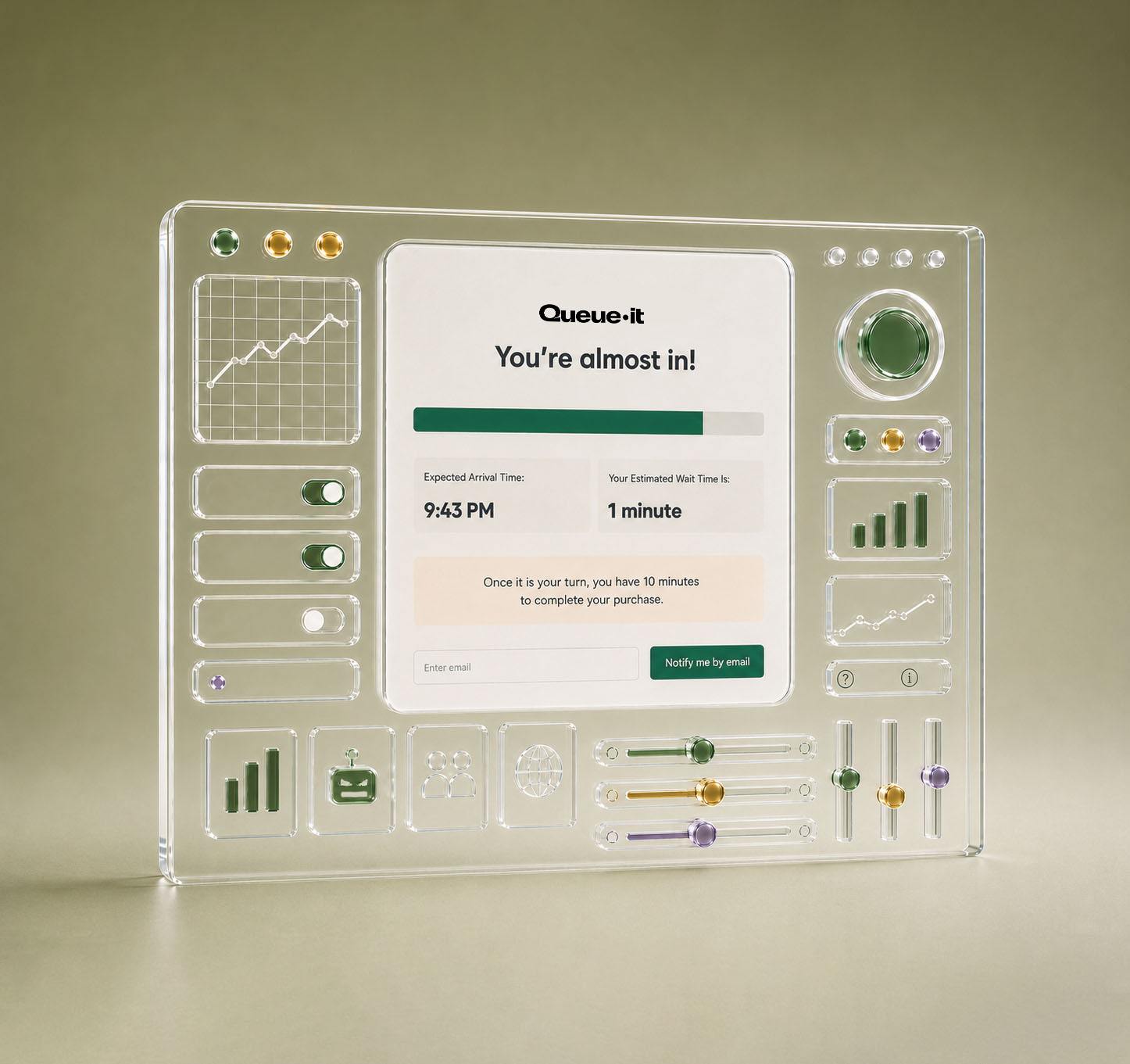













Waiting in an online queue & have questions? Jump to waiting room FAQs
- Decide which visitors, pages, actions, or APIs should be protected by traffic orchestration
- Apply custom traffic handling rules based on URLs, headers, cookies, or identity
- Get real-time visibility and control over all traffic entering your digital front door
- Block, challenge, authenticate, queue or bypass visitors using configurable access rules
- Integrate traffic control with advanced AI-powered bot detection for robust security
- Whitelist support staff or provide exclusive or early access to VIP visitors based on identity
- Control how many visitors reach your systems by activating a waiting room when demand exceeds capacity, preventing overload and crashes
- Allocate limited inventory fairly with access mechanisms like randomization, first-in-first-out queuing, and invite-only entry
- Deliver transparent wait information and an interactive, on-brand visitor experience
- Ensure visitors move quickly through your systems by setting session validity windows
- Apply additional checks at checkout to ensure one purchase per visitor
- Cancel session validity after key actions like purchase to free up capacity for new visitors
Prevent crashes & downtime
Keep your site, apps & APIs stable under extreme load without risking failure
Block bots, bad actors & abuse
Keep bad bots & scalpers off your website & out of your sales with AI-powered bot mitigation
Understand & act on traffic
Get one platform to analyze, filter & control your traffic in real time
Control scaling & infrastructure costs
Set a traffic limit your infrastructure can handle & let Queue-it orchestrate the rest
Ensure fair access & allocation
Control who enters your sale, in what order, so limited inventory reaches real customers
Optimize your peak event process
Plan, run & learn from every event in one platform, reducing stress & on-call staff
Build hype & boost conversions
Boost conversions, cross-sell, & capture data from a ready-to-buy audience
Deliver secure exclusive access
Reward loyalty, grow your customer base & analyze success without bot noise
"The virtual waiting room solution makes a lot of sense. It’s unrealistic to invest in infrastructure for unpredictable peaks—both from a cost and operational efficiency standpoint. And when you rely on downstream, third-party services such as credit card companies, capacity expansion isn’t something you can fully control.”
Daichi Kimura, Section Chief at System Operation Control Team

"Queue-it just works. Once it’s there, you don’t have to worry about how many customers you’re going to get. You can just focus on processing the orders on your end as fast as you can.”
Roshan Odhavji, Co-founder and CEO

“If you have a website resource that struggles to handle peak traffic, then Queue-it is a must-have. You can manage the traffic, you can manage the expectations, you can manage the overall experience.”
Steve Barlow, Physical Environments Systems Manager
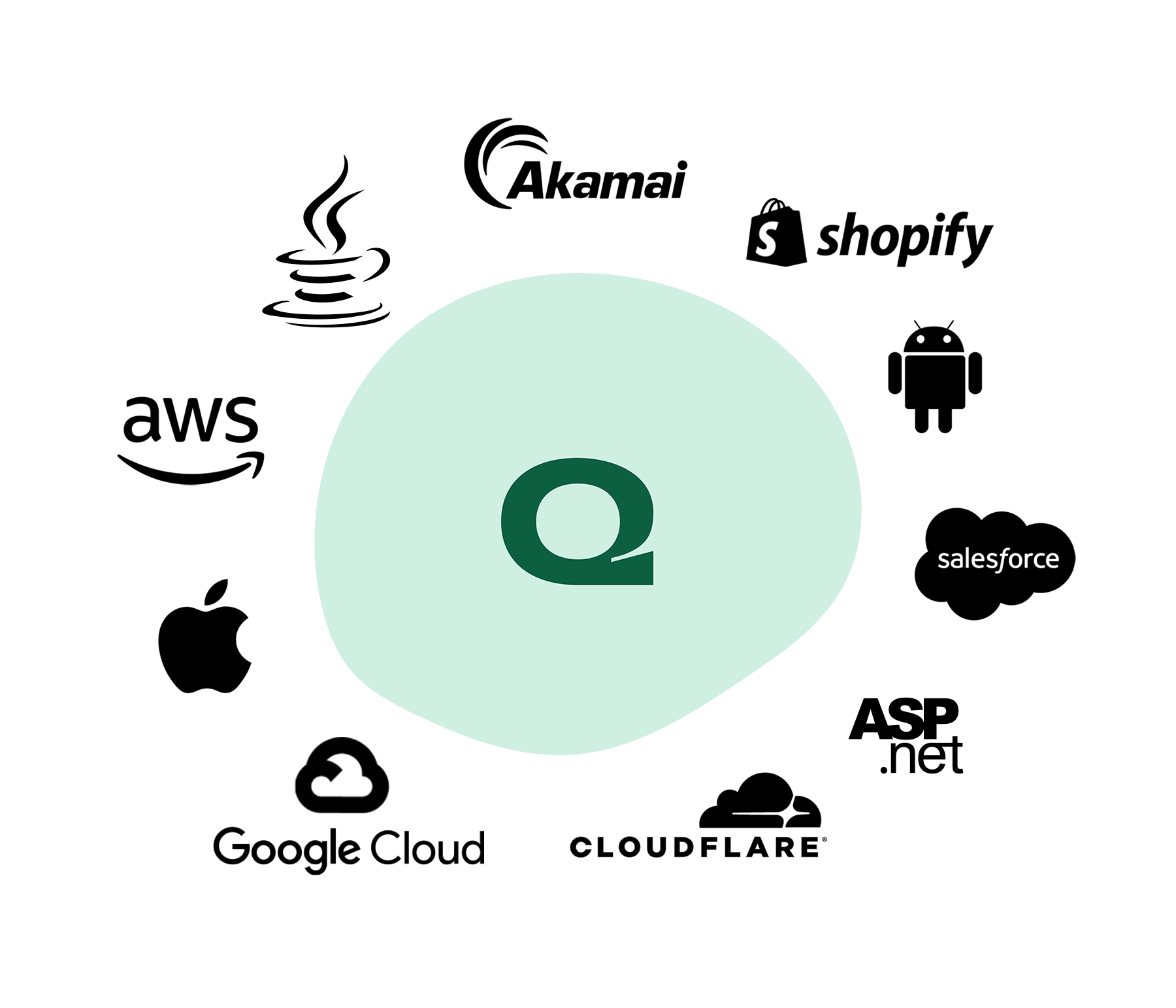
25+ connectors. Detailed documentation. Easy integration.
Get an in-depth, developer-friendly understanding of how Queue-it works.
Besides the ease of use, the best part of using Queue-it has to be dedicated, quick customer support.
 Posted on G2
Great customer support staff that respond back within minutes and are very knowledgeable. All around an amazing product and team.
Posted on G2
Queue-it's virtual waiting room redirects website visitors to an online queue during periods of high demand to prevent website overload and ensure fair and orderly access to limited inventory.


Pre-queue
For scheduled sales or timed releases, early visitors are gathered on a page with a countdown timer. When the timer hits zero, they're randomized like a raffle and flowed to the queue.

Queue
Visitors get their position in the customized waiting room and receive detailed wait information. They're then flowed to your site at the rate you choose in fair first-in, first-out order.

Target website or page
Visitors get flowed to your website or protected sale page in fair, controlled order with a unique token that allows them to browse & purchase without restriction.

Post-queue
Visitors still in the queue when the sale or registration is over can be flowed to a post-queue, where you can direct them to your mailing list or other promotions.
Fair access for every visitor
Randomization, first-in-first-out order & unskippable queues keep every event fair
Transparent & informed waits
Detailed, real-time wait information, plus optional messaging & email notifications
Fewer bots, scalpers & bad actors
Bot mitigation removes bots & scalpers from the queue, giving real customers a better chance
of Queue-it customers say their sales are fairer
say their customers' online experience has improved
of consumers say they prefer an online queue to a website crash
*Based on 203 survey responses from Queue-it customers (2025) and a survey of 1,000+ global consumers (2025).
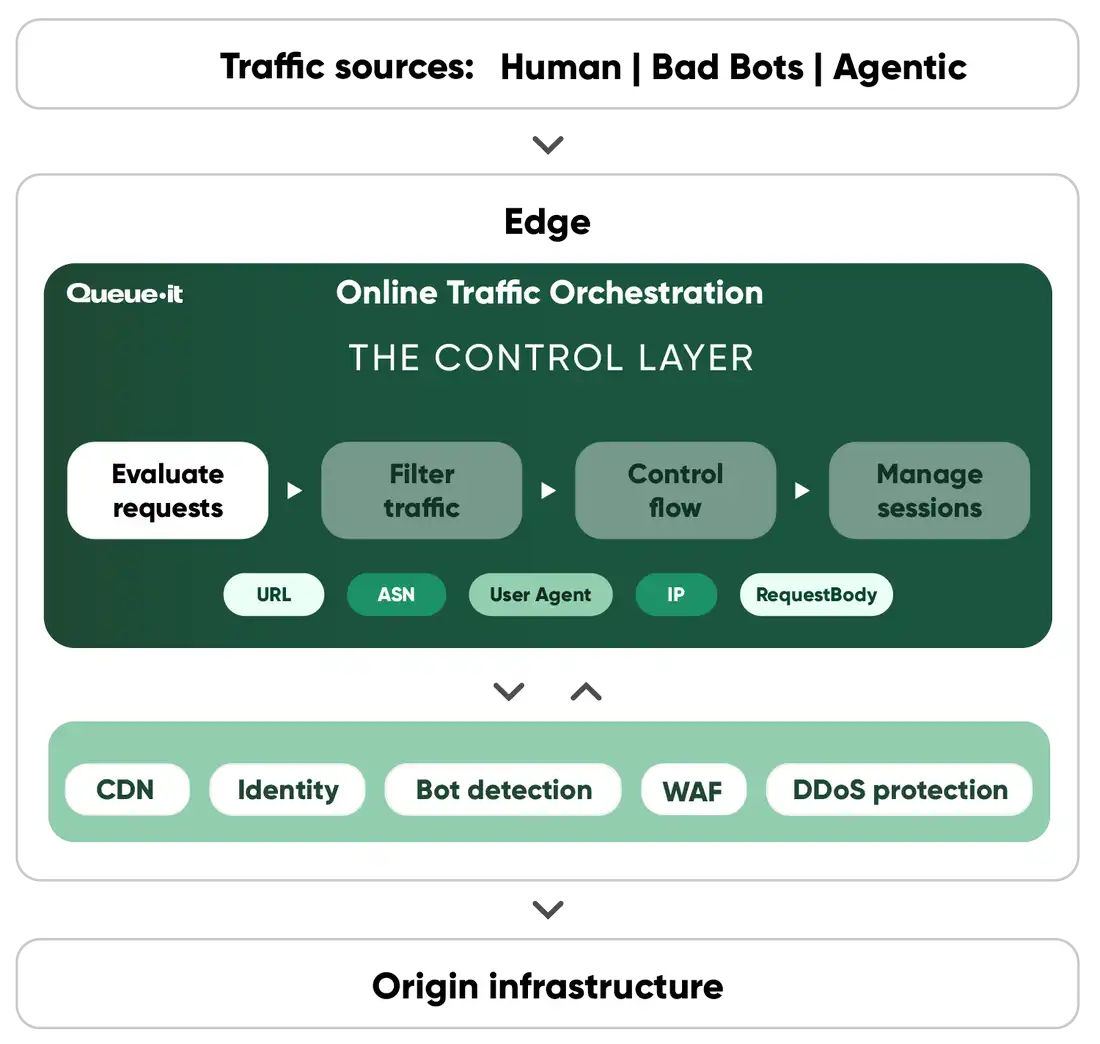
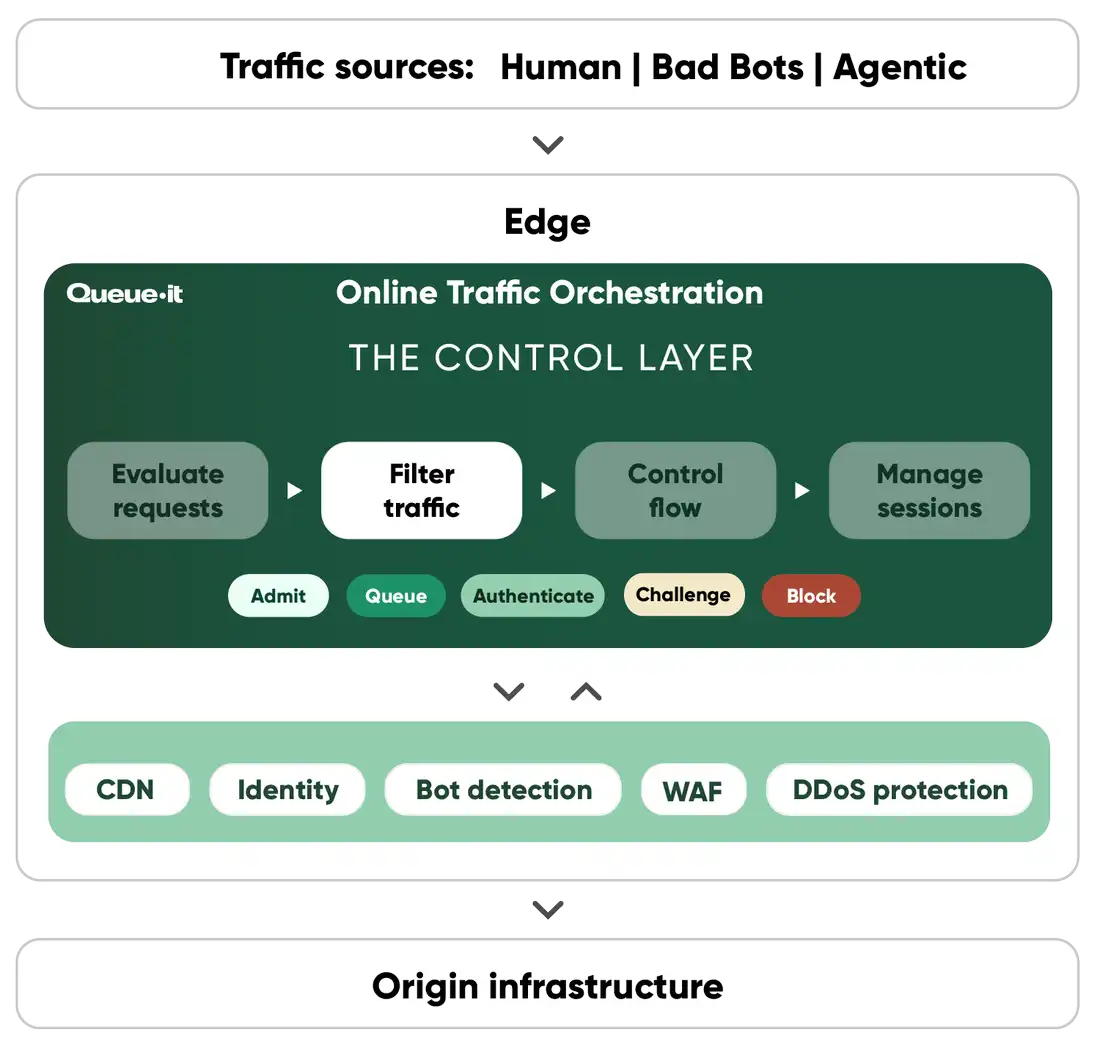
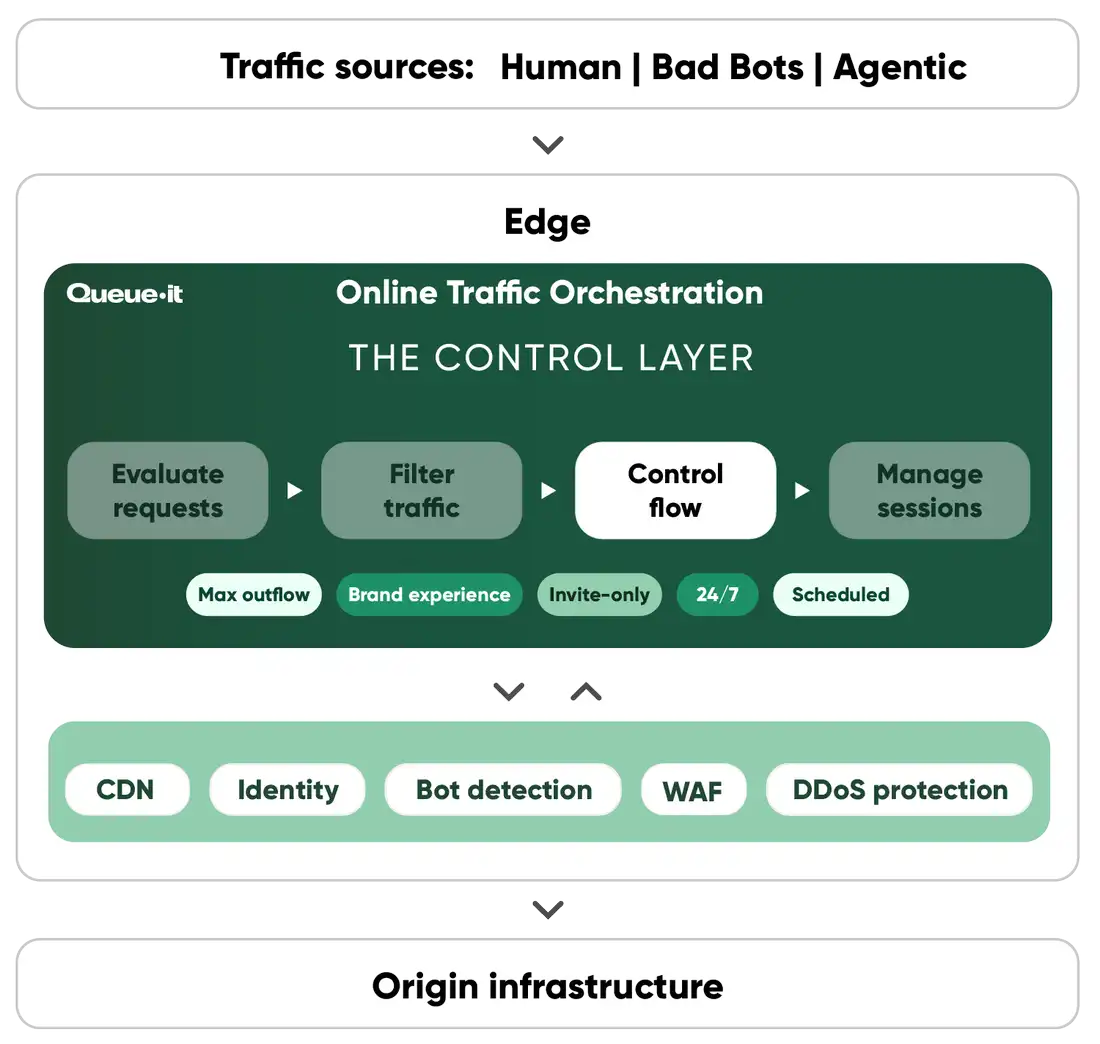
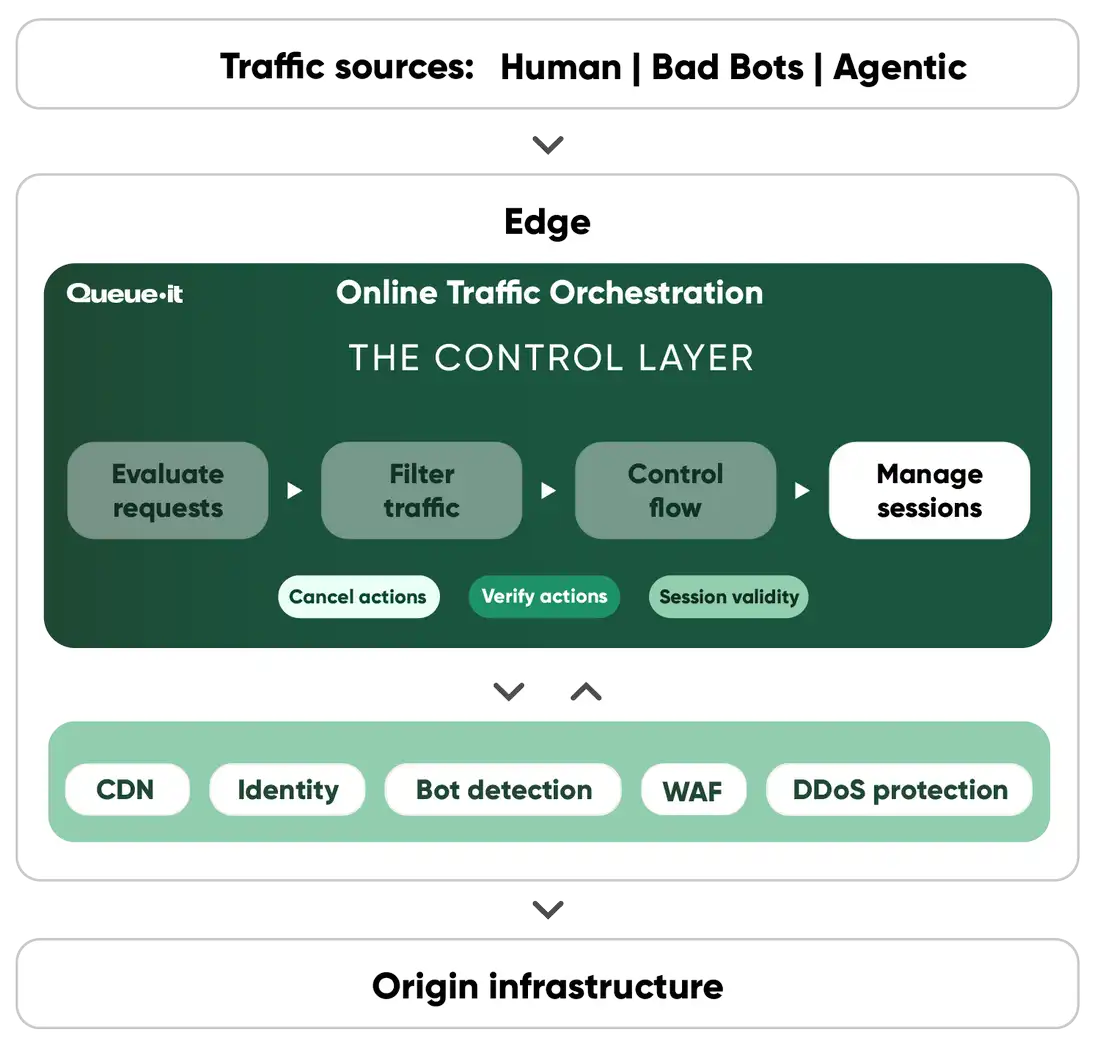
Online traffic orchestration is the control layer that runs before traffic reaches your site, app, or API. Every incoming request carries signals about its identity, intent, and context. Queue-it reads those signals and decides how each request should be handled, in four stages:
- It evaluates every request with Integration Rules, deciding which pages, actions, and APIs are protected
- It filters traffic with Traffic Access Rules that challenge, block, or bypass visitors based on signals like IP, user agent, and reputation
- It controls the flow of traffic with the waiting room when demand exceeds the capacity you’ve set
- It manages sessions after entry, ending them after key actions like checkout so capacity goes to the next customer
The online queue is one action the engine can take, and most traffic never sees it. Whether a request comes from a customer, a bot, or an AI agent, every request is evaluated, filtered, and routed so the right traffic gets in at a rate your systems can handle.
Queue-it redirects online visitors to a waiting room that enables a controlled flow of traffic to your site or app. Queue-it can be used:
- As a safety net that only activates when a traffic threshold is reached (the insurance play)
- For scheduled sales where you anticipate a traffic spike (the timed release play)
- Or for exclusive or early access sales where you want to gate access to a page (the exclusivity play)
If you have Queue-it set up as a safety net, customers are redirected to a customizable waiting room only when traffic exceeds the capacity you’ve set. They’re then flowed back to your website or app in a controlled, first-in-first-out order.
If your sale or registration is set to start at a specific time, customers are held on a countdown page and then randomized just like a raffle, giving everyone an equal chance. Everyone arriving later gets a first-come, first-served spot in the online queue.
If you’re using Queue-it for exclusive access, only the customers you’ve chosen can access the queue and the protected page. Customers can verify they’re “invited” with either a unique single-use link or their email address.
When visitors are placed in the waiting room depends on how you set up Queue-it. First, you can choose whether the waiting room should be “Always Visible” or “Visible at Peak”. If you choose “Visible at Peak”, the waiting room will activate only when traffic exceeds the threshold you’ve set.
Second, you choose the parts of the user flow that Queue-it covers. This could be your entire website, a landing page, the login page, or a dynamic request like when customers click “Add to Cart”. This way, you queue visitors only at the stage in the user journey that needs protection, while visitors who haven’t taken the protected action can browse the site normally. You can trigger the waiting room based on six trigger parameters:
- URL
- Request body
- User agent
- Cookie
- HTTP header
- JavaScript variable
Queue-it uses both first-in, first-out (FIFO) queuing and randomization to create a fair experience for your customers.
When the waiting room is used as a safety net and activated by traffic spikes, it operates as a FIFO queue.
When the waiting room is used for scheduled sales, early visitors are placed in a pre-queue with a countdown timer. When the timer hits zero and the sale or registration begins, visitors are given a randomly assigned position in queue. Once these positions are assigned, the queue operates in FIFO order, meaning those who arrive after the sale begins are placed at the back of the queue.
This combination of randomization and FIFO queuing for scheduled sales ensures all visitors who show up on time get an equal chance at first access and prevents speedy bots from getting an unfair advantage.
You choose the rate at which visitors flow from the waiting room to your site, measured in visitors per minute, and can adjust it up or down on the fly using the GO Platform or API.
The best way to determine your rate is a load test. If you haven’t run one, Queue-it’s peak traffic experts bring years of expertise in identifying system bottlenecks, understanding how many visitors your infrastructure can handle, and recommending a starting level that’s optimal for your site’s performance.
You can integrate Queue-it with a client-side, server-side, edge, or mobile SDK connector. Queue-it offers over 25 connectors and dedicated support staff for implementation.
Yes, Queue-it can be used on mobile devices and integrated into iOS, Android, Cordova, or React Native app frameworks. Visitors on a desktop can even transfer their position in queue to their mobile device if they need to queue on the go.