
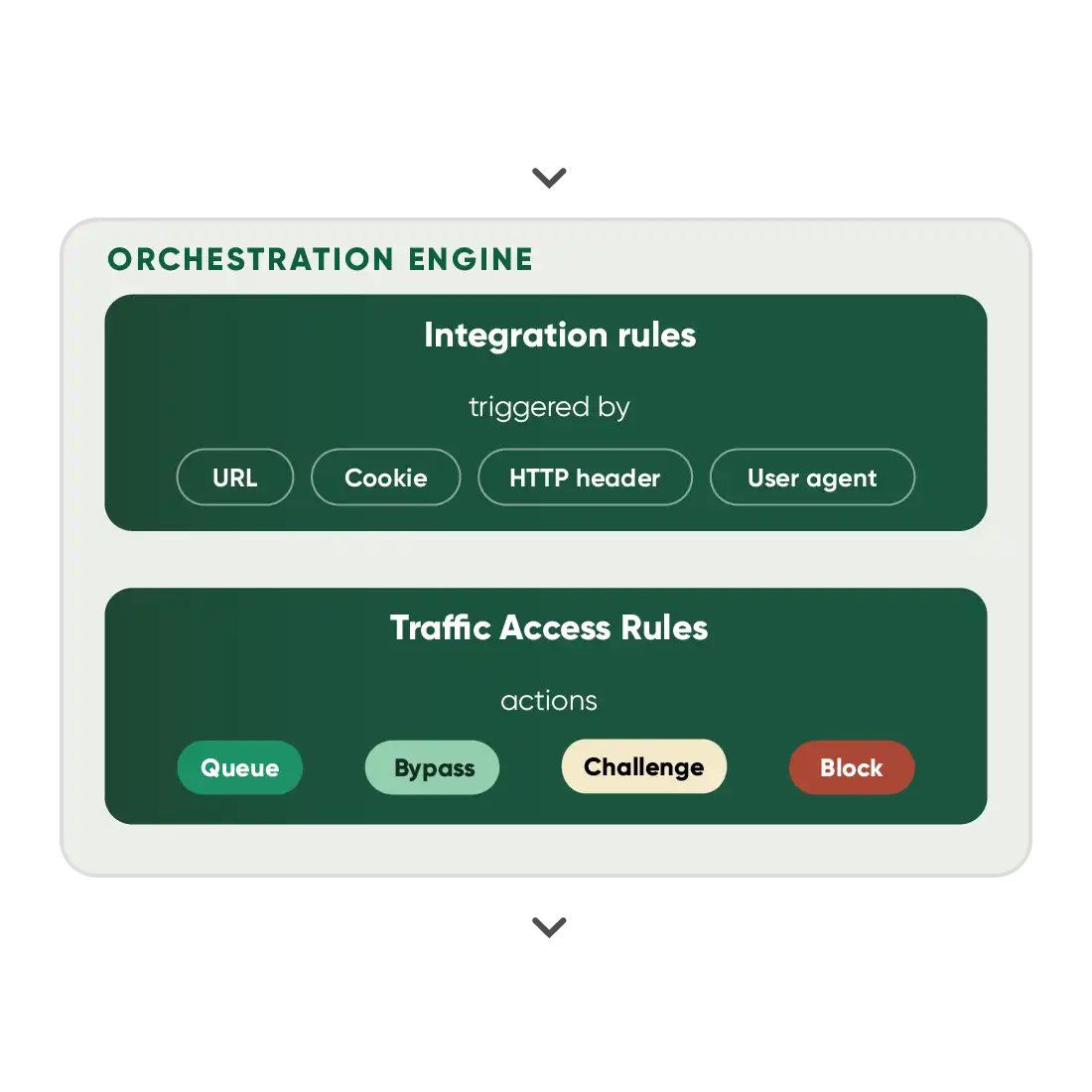
Every traffic decision starts with a signal, a condition, and an action.
Queue-it continuously evaluates traffic and automatically applies the right response in real time.
The signal:
what the engine sees
Every request carries signals about identity, intent, and context, whether it comes from a customer, bot, or AI agent
The condition:
when a rule applies
Stack conditions with match-all or match-any logic to distinguish customers from bots, VIPs from visitors & normal traffic from exceptional demand
The action:
what happens next
The engine acts the instant a rule matches: who gets access, who waits, who gets challenged & who gets blocked
EVALUATE
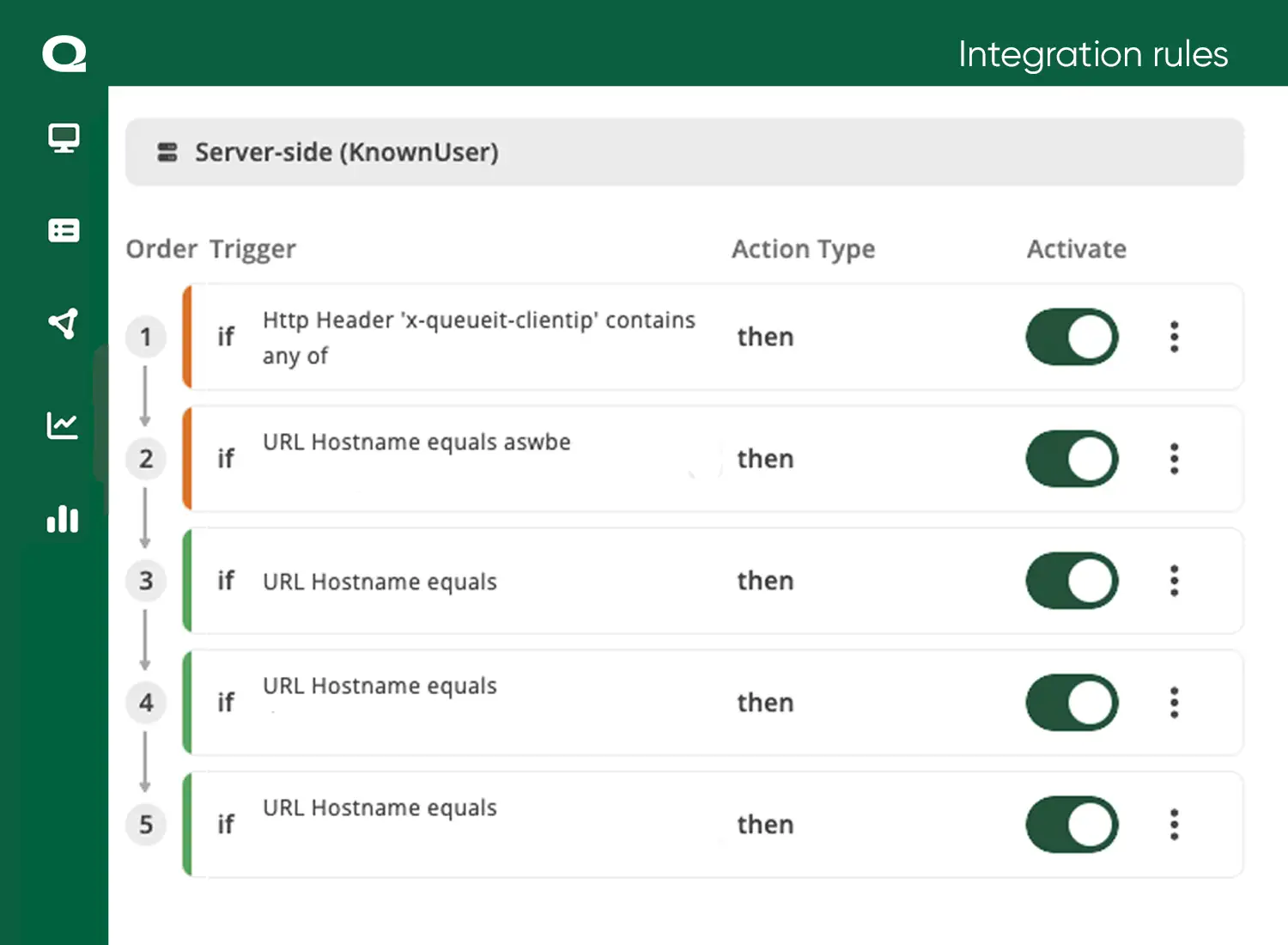
- Define which pages, actions and APIs Queue-it evaluates with Integration Rules, from your full site to a single “Add to Cart” action
- Minute control based on six trigger parameters: URL (host, path or full address), HTTP header, user agent, cookie, request body, and JavaScript
- Exempt static assets and good bots with Ignore rules, from search crawlers to AI agents you welcome, so they never cost you SEO or a queue spot
FILTER
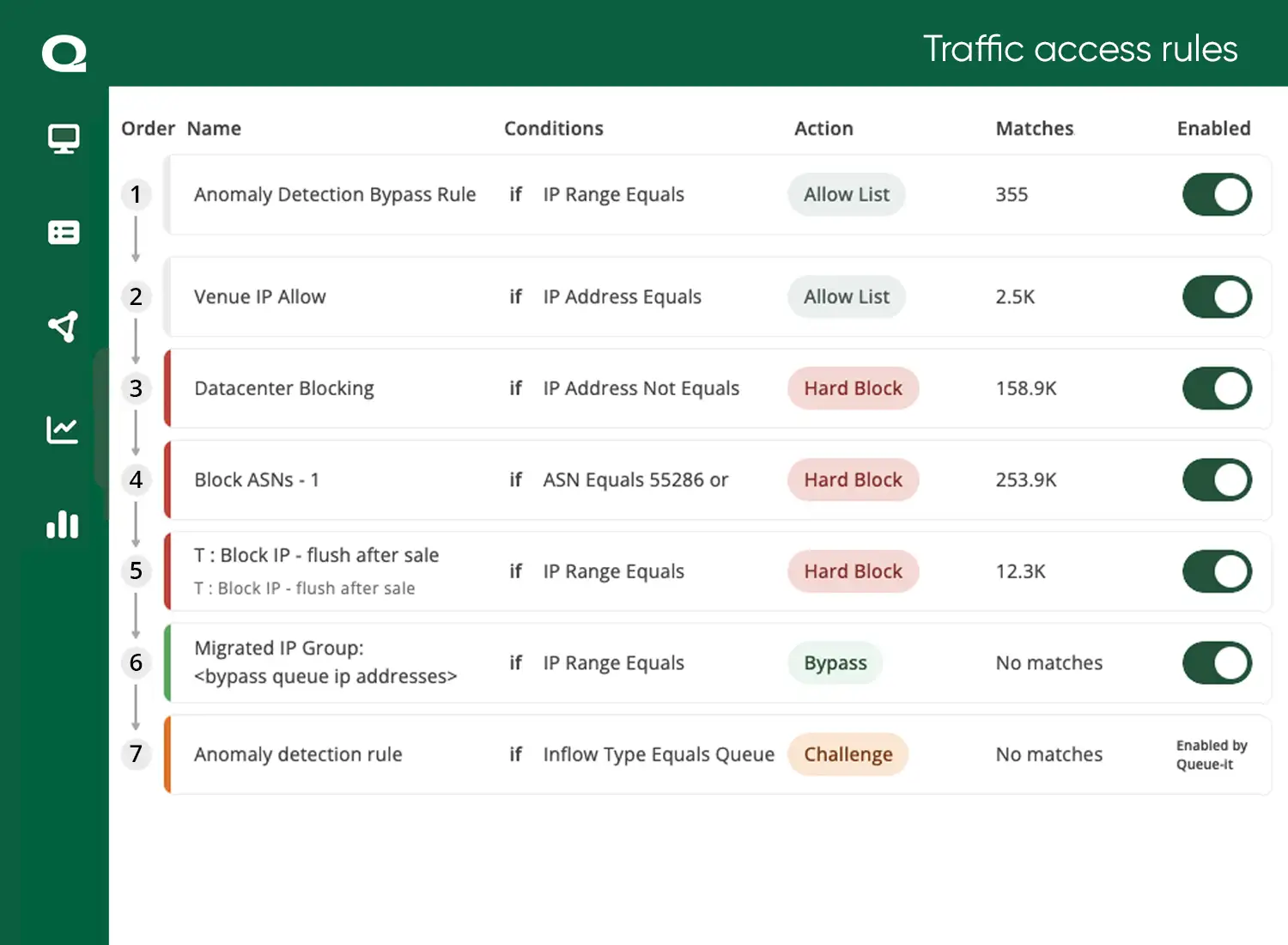
- Challenge, hard block or bypass visitors with Traffic Access Rules that go live the moment you publish, with no redeployment
- Segment traffic on 12 condition types, from IP, ASN and user agent to classifiers refreshed every 24 hours
- Block or challenge bad bots with Visitor Reputation, a dynamic 0–100 trust score spanning seven levels from Genuine to Malicious
- Integrate seamlessly with best-in-class bot detection from Akamai or Netacea and act on their signals directly in your rules
CONTROL
- Control how many visitors reach your systems by activating a waiting room when demand exceeds capacity, preventing overload and crashes
- Allocate limited inventory fairly with access mechanisms like randomization, first-in-first-out queuing, and invite-only entry
- Deliver transparent wait information and an interactive, on-brand visitor experience
MANAGE
- Control session validity to the minute and choose whether sessions can extend, so capacity recycles
- Enforce one purchase per user journey with a Cancel Action, invalidating sessions after key actions like checkout
- Run additional checks at the point of purchase to ensure the visitor has followed the correct journey

"We ensure all Queue-it's actions and triggers are set up right for the event. Then for bigger events, we'll keep an eye on the Queue-it dashboards and sometimes lower the queue threshold on the fly, if the system is running hot. That level of control Queue-it gives us is really powerful."
MATT TREVETT, BUSINESS MANAGER

“Queue-it’s solution is user-friendly for both our IT and business departments. The dashboard is simple and intuitive, and business staff could quickly figure out how it works, how the sale is going, and if needed, tweak the traffic outflow. It bridges IT and business.”
ATSUMI MURAKAMI, CHIEF OF INNOVATION

“Queue-it’s Traffic Insights and reporting lets us communicate technical insights to non-technical stakeholders. It makes a clear, quick visual point and helps us communicate in an easy-to-understand way, like how much traffic spiked, when the queue kicked in, and how long people were waiting.”
ELAINE SALVETA, DIGITAL SERVICES MANAGER
Prevent crashes & downtime
Keep your site, apps & APIs stable under extreme load without risking failure
Block bots, bad actors & abuse
Keep bad bots & scalpers off your website & out of your sales with AI-powered bot mitigation
Understand & act on traffic
Get one platform to analyze, filter & control your traffic in real time
Control scaling & infrastructure costs
Set a traffic limit your infrastructure can handle & let Queue-it orchestrate the rest
Ensure fair access & allocation
Control who enters your sale, in what order, so limited inventory reaches real customers
Optimize your peak event process
Plan, run & learn from every event in one platform, reducing stress & on-call staff
Build hype & boost conversions
Boost conversions, cross-sell, & capture data from a ready-to-buy audience
Deliver secure exclusive access
Reward loyalty, grow your customer base & analyze success without bot noise
They work at different stages of control, in different places. Integration Rules run inside your connector and decide what happens to each request at your digital front door: which pages, actions, and APIs a waiting room protects, which requests to ignore entirely — like static assets and good bots — and when a completed action like checkout should end a session. Rules match on six trigger parameters: URL, request body, user agent, cookie, HTTP header, and JavaScript variable.
Traffic Access Rules run on Queue-it’s infrastructure and decide the treatment traffic gets on the way to your waiting room: challenge, hard block, or bypass.
In short, Integration Rules put requests in front of your policy, and Traffic Access Rules decide how the policy answers.
They can’t. Rules evaluate in priority order, top-down, and the first matching rule wins. Place specific rules first and broad rules last, and the outcome is always predictable. You can rearrange, enable, or disable rules at any time from the GO Platform.
No. Integration Rules run inside your connector, at your CDN edge or on your server, as part of normal request handling. Traffic Access Rules are enforced on Queue-it’s infrastructure, before traffic ever reaches the waiting room or your site.
Traffic Access Rules are part of the Bots & Abuse feature on your Queue-it subscription. Everything else described on this page, from Integration Rules to flow control and session settings, is configured per waiting room. Book a demo and we’ll map the right setup to your traffic.
Yes. Traffic Access Rules go live the moment you publish, with no redeployment of your integration. Rules and the rate traffic is released are adjustable in real time via the GO Platform or API. Alerts flag aggressive IPs and unusual behavior as they happen, and the Monitor page shows the effect of every change live.
You can integrate Queue-it with a client-side, server-side, edge, or mobile SDK connector. Queue-it offers over 25 connectors and dedicated support staff for implementation.